Bēot: Building a Terminal Pomodoro Timer in Go
2026-02-03
I've been on a Go learning journey for a while now, and my latest project takes that learning into new territory: terminal user interfaces. Meet Bēot—a Pomodoro timer that treats focus sessions like binding vows.
I've long been a fan of Anglo-Saxon history and culture, probably seeded by Tolkien's use of Old English in The Lord of the Rings and trips to the British Museum to see the Sutton Hoo ship burial and its iconic helmet. The name bēot comes from that world—a solemn promise made before battle or a great undertaking.
Beowulf himself famously made such a vow in the mead hall to King Hrothgar:
Nō ic mē mid sweorde oððe mid swylcum woruld-wǣpnum wiþ þone gāst wīðfeohte, ac ic hine hand-geswingum, fēond on frēce, fēorh benēote.
I do not intend to fight the monster with sword or with such worldly weapons. Instead, I shall grapple with him bare-handed, foe against foe, and take his life.
He will fight Grendel without sword or shield. He will meet the monster hand-to-hand, as Grendel fights. He accepts wyrd (fate): victory or death.
When you start a 25-minute focus session in Bēot, you're making that same kind of commitment. And importantly, the app tracks both your completed sessions and the ones you abandon. Honesty is baked into the design.
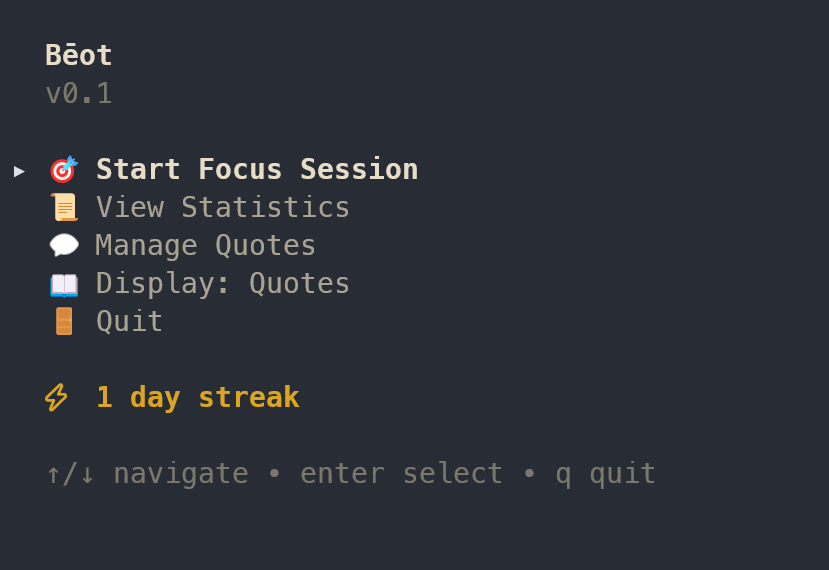
The main menu greets you with your current streak—a reminder of the vows you've kept. From here you can start a focus session, view your statistics, or manage your quote collection.
Why Build Another Pomodoro Timer?
There are hundreds of Pomodoro apps out there. So why build one from scratch?
Partly, it was an excuse to learn Bubble Tea, a terminal UI framework for Go that implements the Elm Architecture. I'd been curious about it since seeing some beautifully crafted CLI tools in the wild, and this felt like the perfect scope: complex enough to learn real patterns, but contained enough to finish.
I also wanted to build something Simple, Loveable, and Complete. Not a half-finished prototype or an over-engineered system—just a focused tool that does one thing well and feels good to use.
But there was also something appealing about building a focus tool that lives in the terminal. No browser tabs. No Electron overhead. Just a fast, distraction-free interface that feels right at home alongside my editor and Git commands.
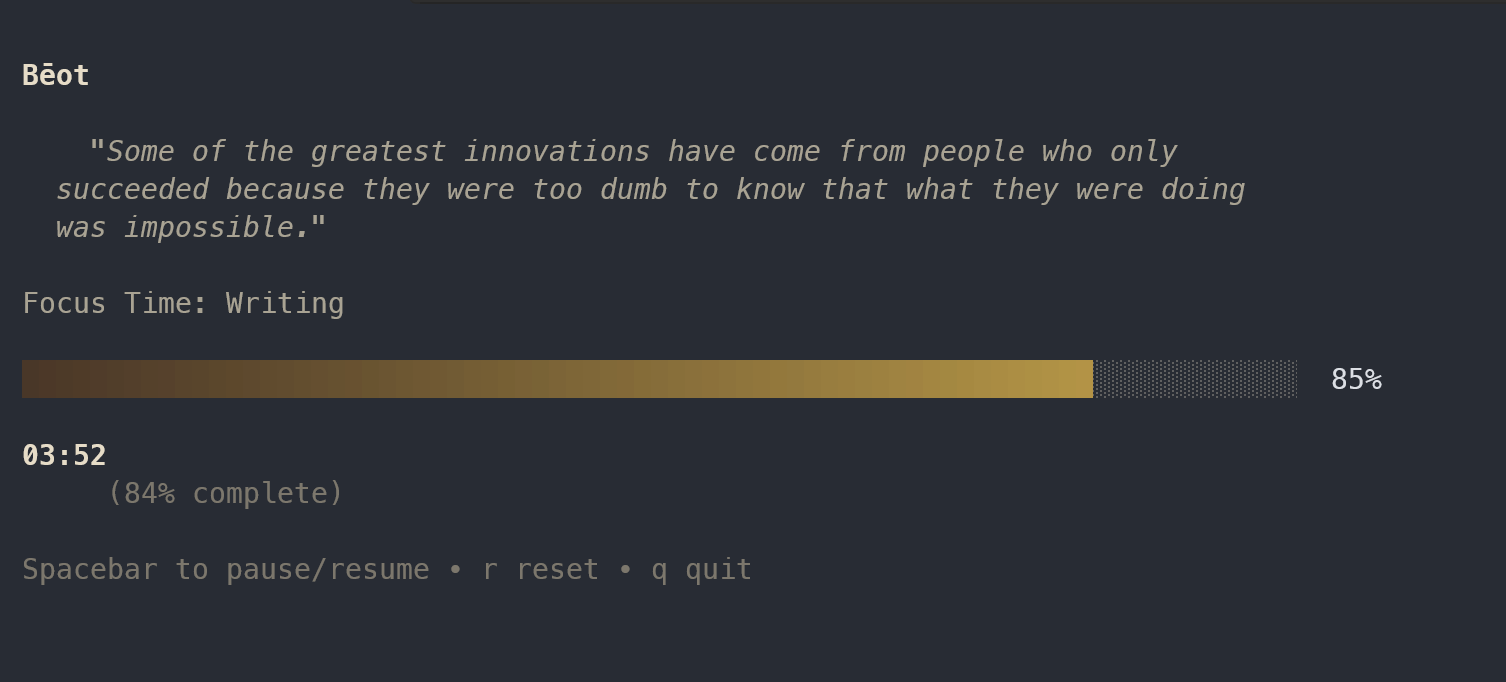
The timer view is deliberately minimal: a motivational quote at the top, your chosen subject, a progress bar, and the time remaining. Spacebar pauses, r resets, q quits. Nothing else to distract you.
The Elm Architecture in the Terminal
Bubble Tea uses the Elm Architecture—Model, Update, View—which felt surprisingly natural coming from React. Your entire UI state lives in a single model struct. User input and events arrive as messages. The Update function processes those messages and returns a new model. The View function renders the model to the terminal.
type TimerModel struct {
    subject      Subject
    timeLeft     time.Duration
    isRunning    bool
    currentQuote Quote
}

func (m TimerModel) Update(msg tea.Msg) (tea.Model, tea.Cmd) {
    switch msg := msg.(type) {
    case tickMsg:
        if m.isRunning && m.timeLeft > 0 {
            m.timeLeft -= time.Second
        }
    case tea.KeyMsg:
        if msg.String() == " " {
            m.isRunning = !m.isRunning
        }
    }
    return m, nil
}
The unidirectional data flow makes state changes predictable. When the timer ticks, you return a new model with decremented time. When the user presses space, you toggle isRunning. No surprises.
Tracking Accountability with MongoDB
One feature I wanted from the start was persistence. Not just for completed sessions, but for abandoned ones too. If you quit a session early, Bēot records it. The stats view shows your completion rate, your current streak, and your longest streak.
MongoDB felt like a good fit here. Sessions, subjects, and motivational quotes all have slightly different shapes, and Mongo's flexibility made iteration fast. I'm using MongoDB Atlas for cloud hosting, which means my stats follow me across machines.
The streak calculation was more interesting than I expected. A streak counts consecutive calendar days with at least one completed session. If you miss a day, it resets. The aggregation pipeline handles this by sorting sessions by date and walking backward from today.
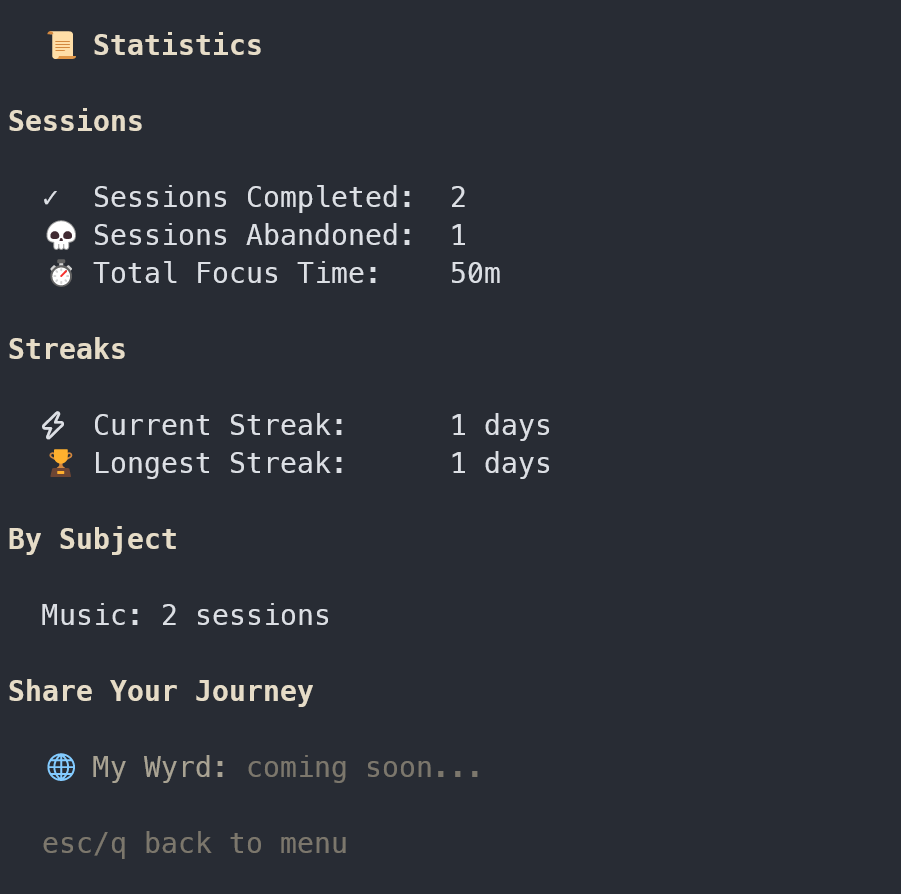
The statistics view lays it all out: sessions completed, sessions abandoned, total focus time, and your streaks. Notice the "My Wyrd: coming soon" at the bottom—a planned feature that will let you generate and share a visual representation of your focus journey.
Motivational Quotes Every Three Minutes
During a focus session, Bēot displays a random quote from your collection. Every three minutes, it rotates to a new one. It's a small touch, but it keeps the interface feeling alive without being distracting.
Adding new quotes is simple—there's a dedicated view for managing them, complete with source attribution. If you haven't added any custom quotes, the program defaults to passages of Old English from The Wanderer and Beowulf—which feels fitting given the Anglo-Saxon theme.
This is where my background comes in. I studied history and philosophy at university, and Bēot has been a rare opportunity to bind those interests together with computer science. The terminal spits out lines from medieval poetry while you work. You can add philosophical quotes about discipline, stoicism, or craftsmanship. It's a small thing, but it makes the tool feel personal in a way that most productivity apps don't.
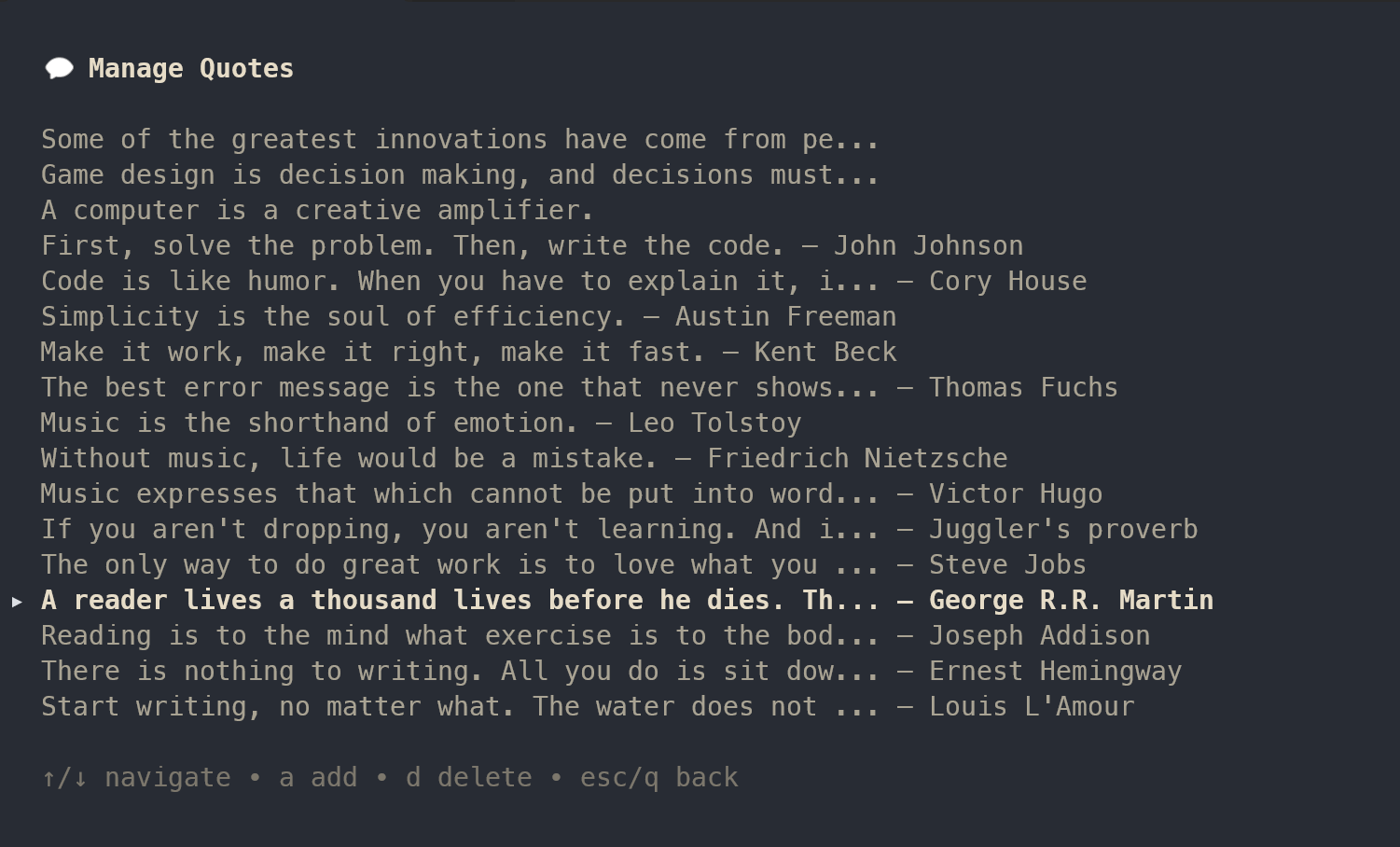
The quote manager lets you browse, add, and delete quotes. I've been building a collection that spans programming wisdom (Kent Beck, Steve Jobs), philosophy (Nietzsche, Tolstoy), and writing advice (Hemingway, Louis L'Amour). Each one rotates through during focus sessions, keeping the experience fresh.
Styling with Lip Gloss
Bubble Tea's companion library, Lip Gloss, handles styling. You define styles as Go structs—colours, borders, padding, alignment—and compose them to build your layout.
I leaned into the Anglo-Saxon theme with muted, parchment-inspired colours: warm off-whites, ash greys, and subtle gold accents. The result feels more like a medieval manuscript than a typical terminal app.
var titleStyle = lipgloss.NewStyle().
    Foreground(lipgloss.Color("#A9A393")).
    Bold(true).
    MarginBottom(1)
What I Learned
Building Bēot reinforced a few things:
- Go's simplicity scales. The project has multiple views, database integration, async commands, and timer logic—but the code stays readable. No magic, no framework overhead.
- The Elm Architecture is genuinely pleasant. Having worked with React, the mental model translated immediately. I'd reach for Bubble Tea again for any terminal tool.
- MongoDB aggregations are powerful. Streak calculation, random selection, grouped statistics—all handled server-side with clean pipelines.
More than anything, it reminded me why I enjoy building tools for myself. Bēot isn't trying to compete with Notion or Todoist. It's a small, focused utility that fits how I work.
What's Next?
There are a few practical extensions on the horizon: break timers to complete the full Pomodoro cycle, export functionality for session data, and possibly a lightweight companion web dashboard.
But the idea I'm most interested in exploring next is Wyrd.
Rather than treating focus data as charts and numbers, I want to explore a more symbolic representation—one closer to how the Anglo-Saxons themselves understood time and fate. In their world-view, time was not a straight line marching forward, but a pattern unfolding: a course of events shaped by circumstance, courage, and doom.
Wyrd, in this sense, is not something you control—but something you move within.
The plan is for Bēot to generate a unique, shareable web link that visualises your focus history as an evolving 3D scene in the browser. Built with Three.js, this scene won't be a productivity dashboard or a gamified reward system. Instead, it will be an abstract, atmospheric representation of your working life: sessions honoured and abandoned, streaks held and broken, effort sustained or cut short.
Completed sessions might strengthen a structure—branches growing, threads tightening, light spreading. Abandoned sessions won't be hidden or erased; they'll remain part of the pattern, just as broken vows still shape the weave of wyrd. The result isn't judgement or optimisation, but visibility: an honest reflection of how you've shown up over time.
In keeping with the passage from Beowulf, courage won't guarantee success—but without it, wyrd has nothing to work with.
For now, though, Bēot is complete in the most important sense: it's usable, focused, and true to its intent. It does one thing well, and it feels at home in the terminal—alongside editors, build tools, and version control—far from the noise of the browser.
If you're curious about Bubble Tea or terminal UI development in Go, I'd strongly recommend building something small. The Charmbracelet ecosystem is thoughtfully designed, the community is active, and the results are surprisingly polished.
Sometimes the best productivity tool is the one you build yourself.